Garmin’s Secret Stash of Hundreds of Free Watch Faces

If you bought a Garmin watch, you may have noticed that it came loaded with a handful of stock watch faces. You might have also noticed that a handful is not a lot.
Connect IQ is Garmin’s app platform, available as a phone app and through Garmin’s website, where you can download watch faces, data fields, widgets, and apps for your Garmin device. It has thousands of watch faces—more than enough to keep even the most fickle of wrist-gazers happy. The catch, as Garmin forum-dwellers are quick to point out, is that many of those faces cost money, even if just a few dollars, which feels like adding insult to injury after already dropping several hundred dollars on the watch itself.
There’s also a legitimate concern, particularly for watches with OLED screens like my Epix Pro (Gen 2), that a third-party developer might not have correctly implemented Garmin’s recommended pixel-shifting guidelines—hastening screen burn-in. Or that their watch face drains the battery more than it should.
What most people don’t know is that Garmin itself has published hundreds of watch faces on Connect IQ, and most of them are free.
How to Find Garmin’s Watch Faces
- Download the Connect IQ app from the App Store or Google Play, or open it if already installed.
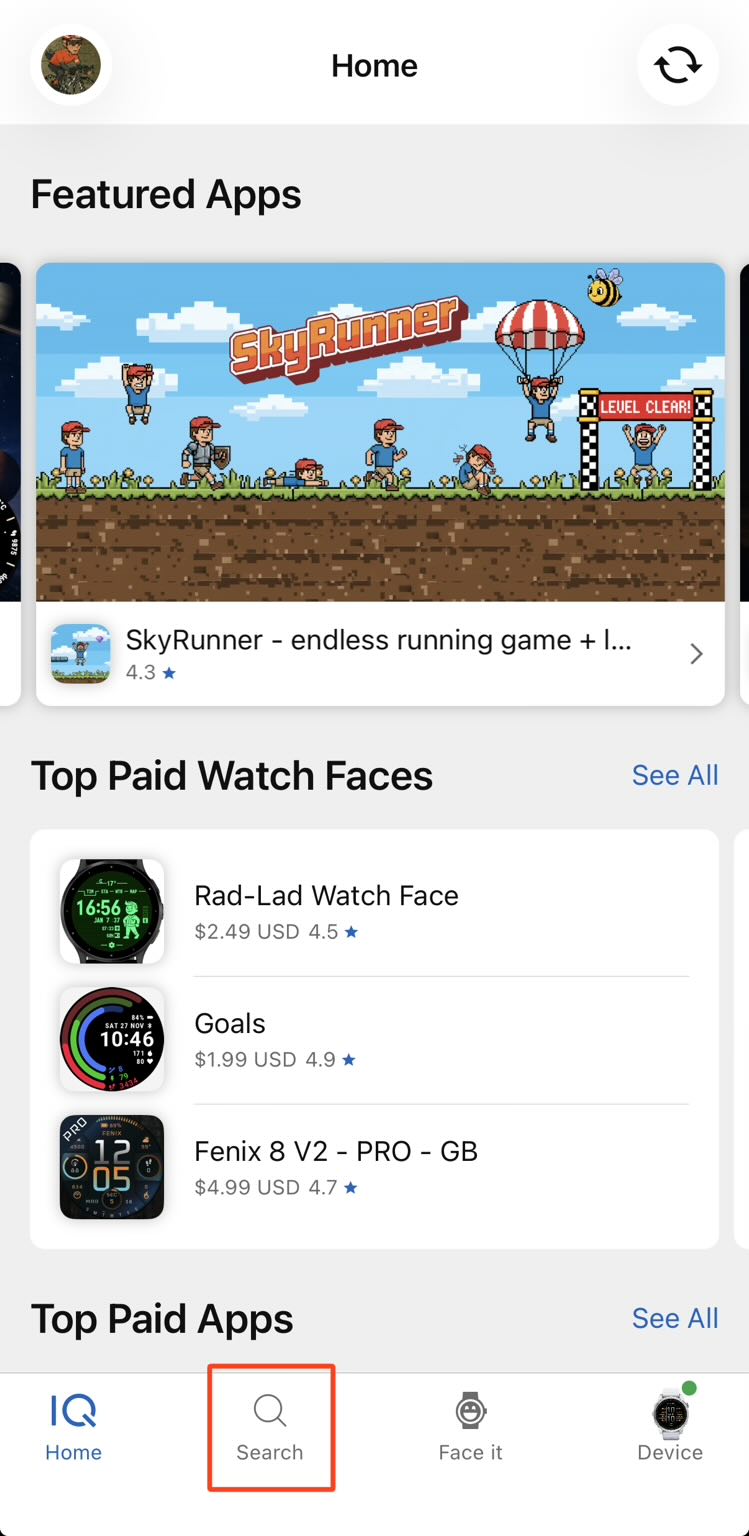
- Tap “Search” at the bottom of the screen.

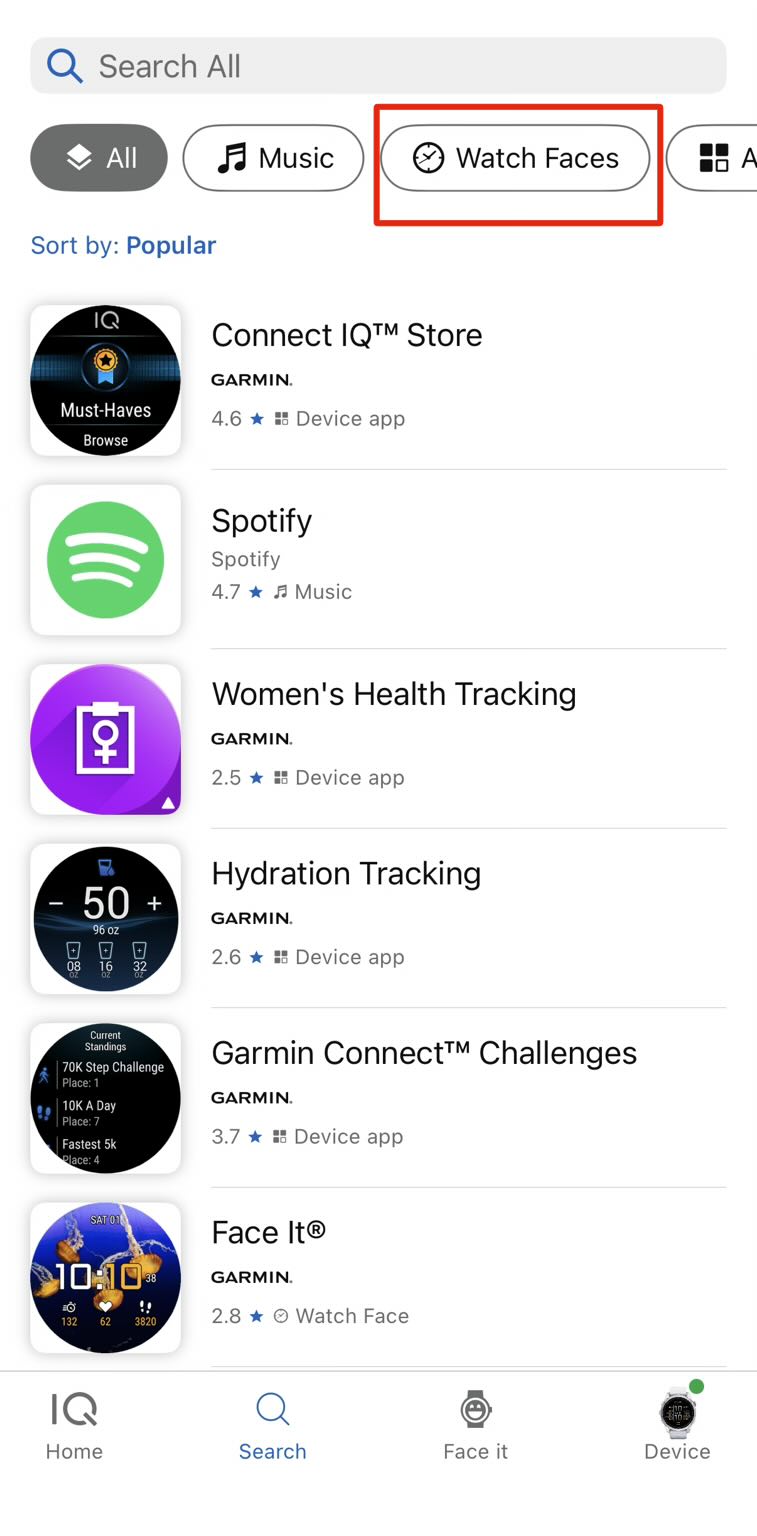
Select "Search" in the Connect IQ app. - Select the filter for “Watch Faces.”

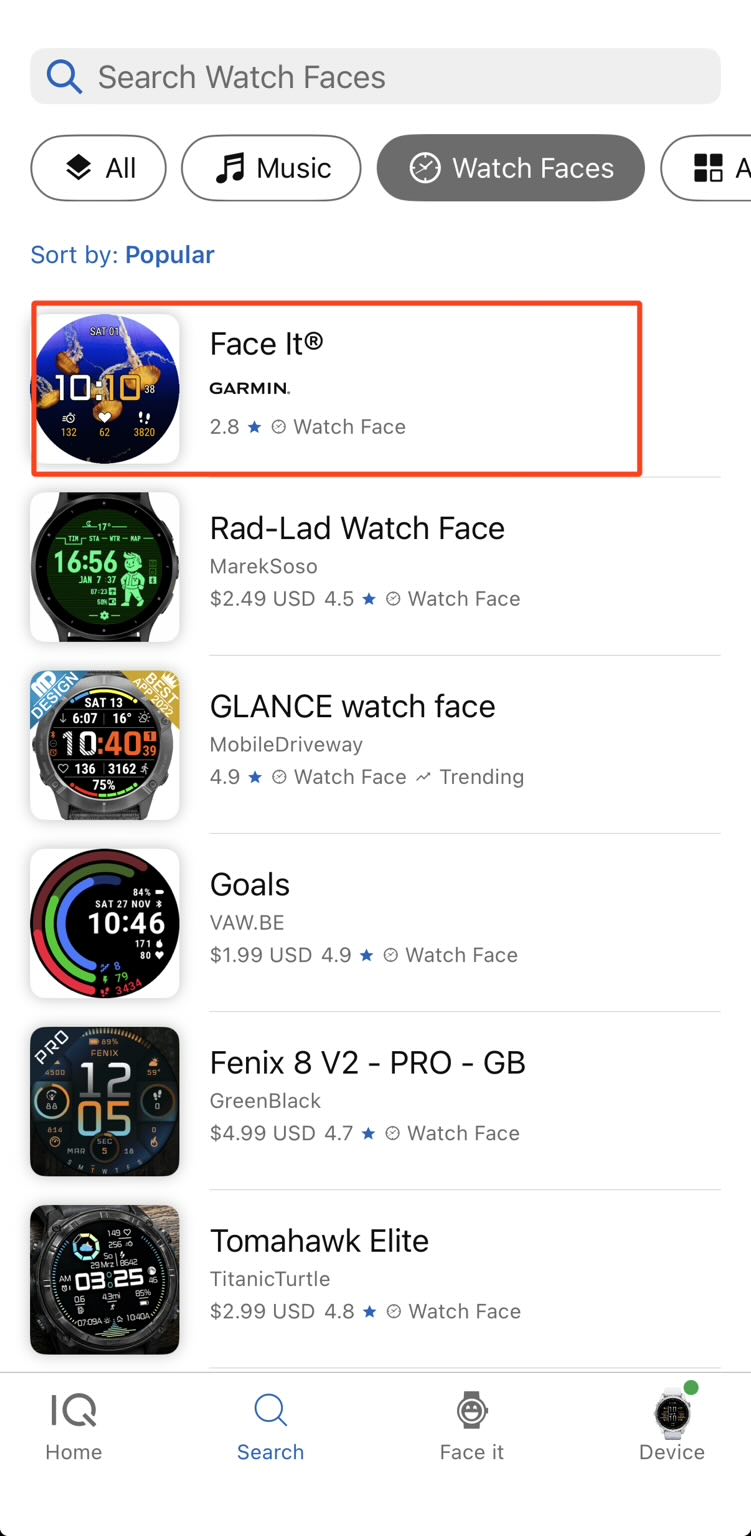
Activate the Watch Faces filter in the Connect IQ app. - Tap on any watch face that lists Garmin as the author.

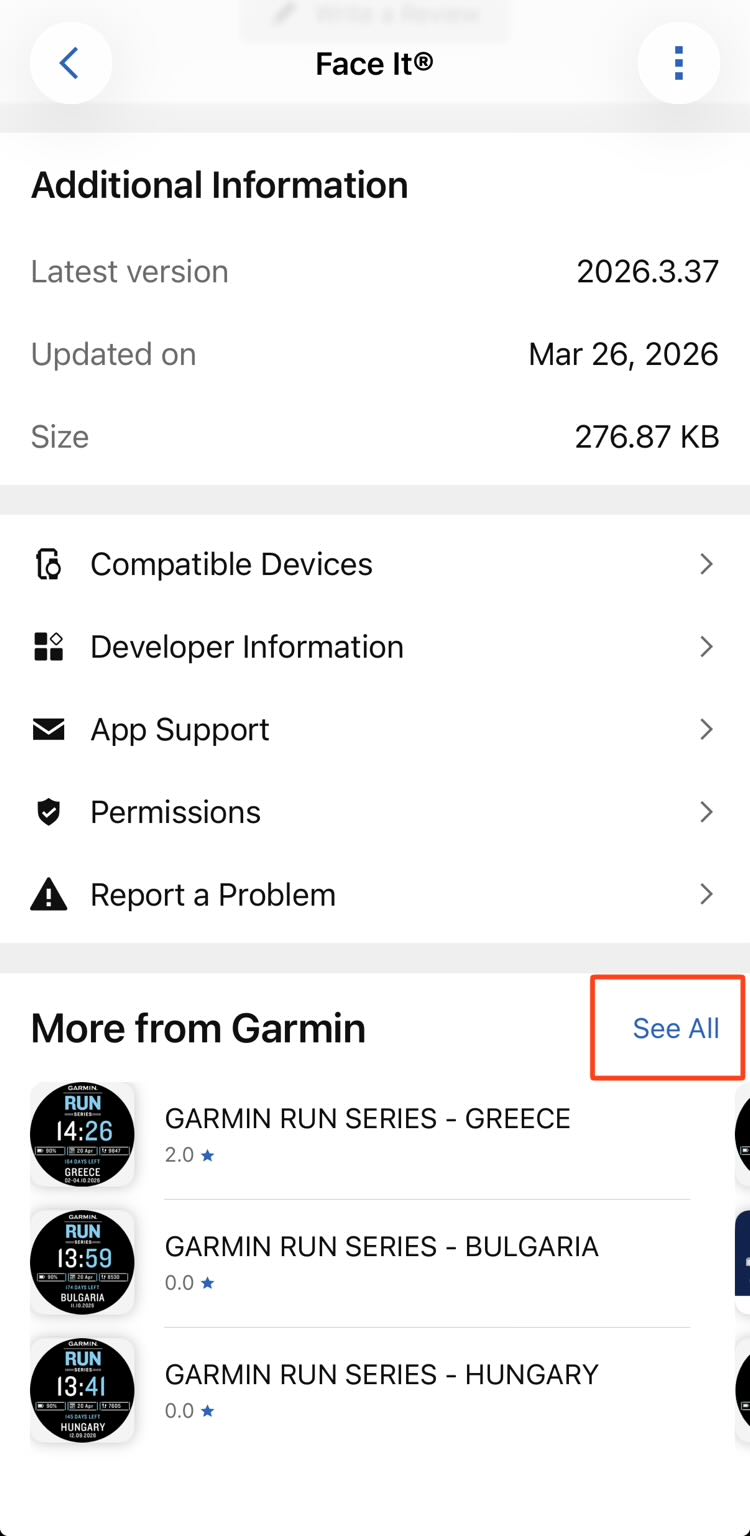
Select any watch face that lists Garmin as the author. - Scroll to the very bottom of that watch face’s info page until you see a section called “More from Garmin.” Tap “See All.”

Scroll down to the end of that watch face to see a link to all the watch faces designed by Garmin for the Connect IQ app.
That’s it. You’re now looking at Garmin’s entire catalog of first-party watch faces—and since these are made by Garmin itself, you can reasonably assume they’ve followed their own pixel-shifting guidelines for OLED screens.
How Many Are There?
As of May 2026, Garmin had 308 watch faces on Connect IQ. Of those, 268 are free. Only 40 cost money—usually $5, with a few priced at $2–4, and one outlier called GoPro Camera Control at $6 (which, from its name alone, appears to let you control a GoPro from your wrist, which is either the most useful thing ever or a solution in search of a problem).
Of the 308 faces, 17 have Chinese names, suggesting Garmin has put meaningful effort into localizing its watch face catalog for different markets.
Are you a professional cycling fan like I am? Garmin has free watch faces for fans of the following teams: INEOS Grenadiers, Movistar, Q36.5 Pro Cycling Team, Red Bull-BORA-Hansgrohe, SD Worx-Protime, Soudal Quick-Step, TotalEnergies, Visma | Lease a Bike, Uno-X Mobility, and XDS Astana. Conspicuously absent is a watch face for EF Education-EasyPost—my favorite team, whose men’s and women’s squads (the latter riding under the name EF Education-Oatly) both race on Cannondales, sport the best-looking bikes and jerseys in the peloton, and field some of my favorite riders: Ben Healy, Kristen Faulkner, Neilson Powless, and Richard Carapaz. Garmin, if you’re reading this, please get on it!
The Watch Face I’m Using
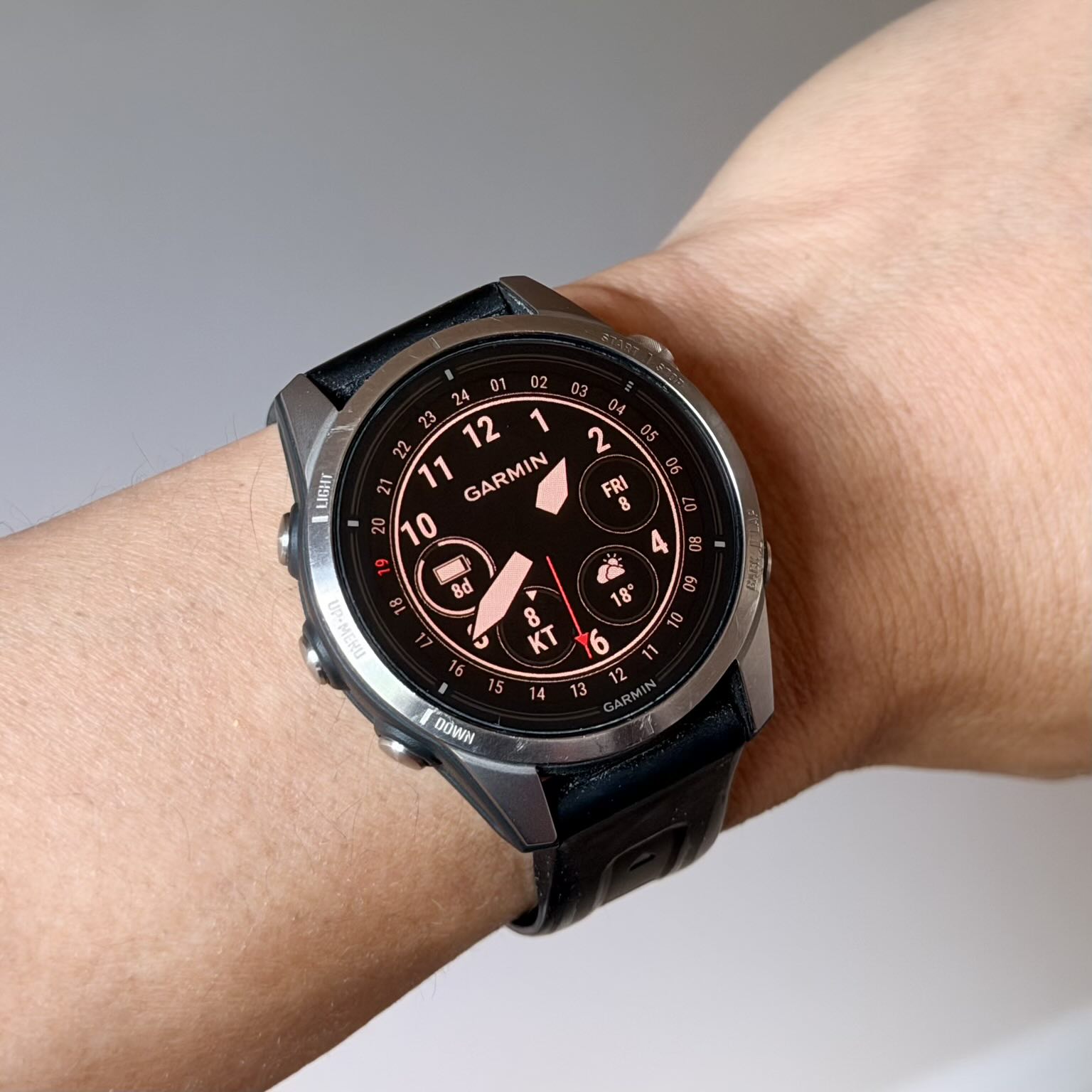
Up until now, I’ve been using a watch face I configured myself directly on the Epix Pro using the watch’s built-in settings. I wanted something analog—I think that looks more elegant during the hours of the day I am not exercising—with a few key data fields visible at a glance: temperature, wind speed, date, and battery life.
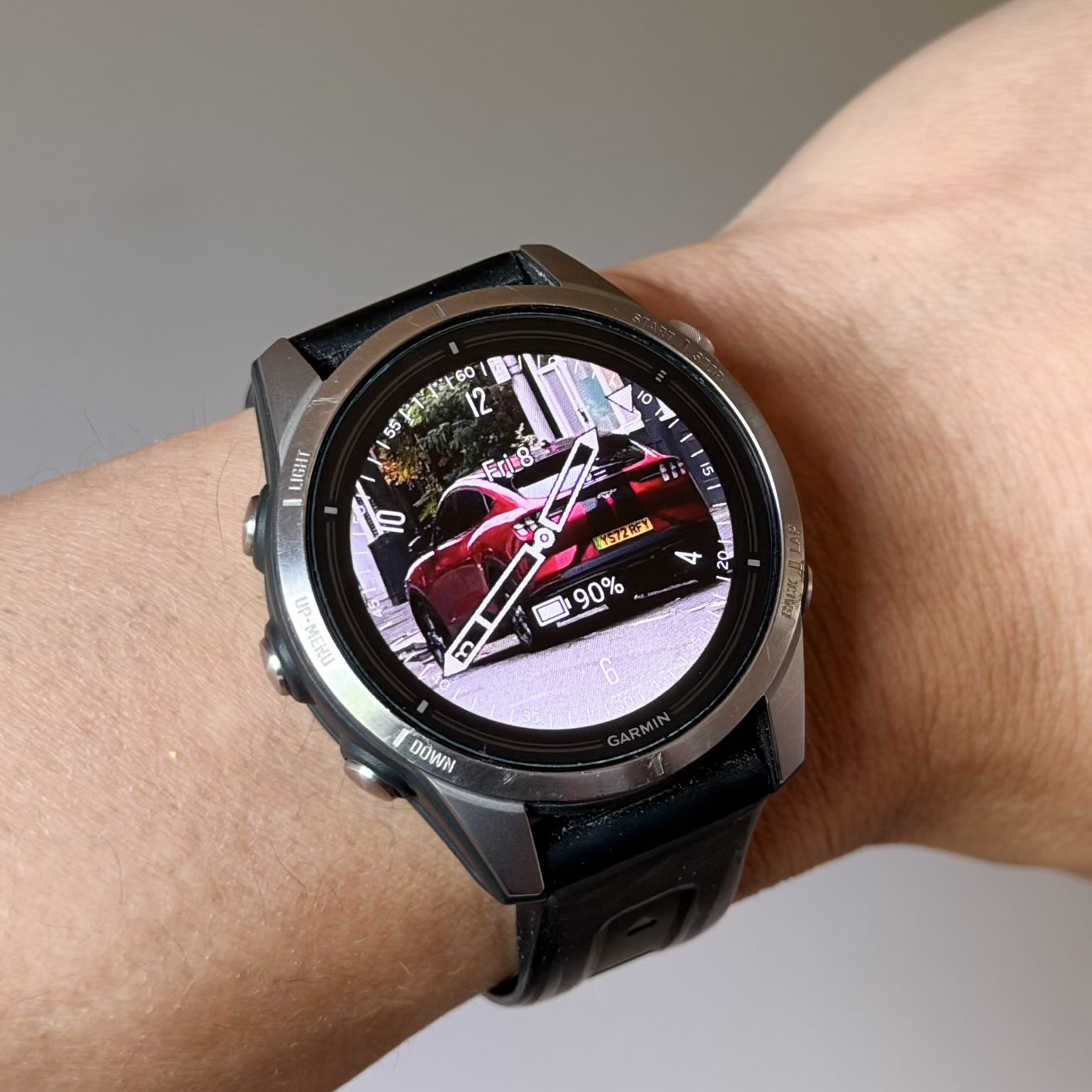
I do have a couple of others installed from the Connect IQ app and rotate them occasionally. The Face It® watch face lets you use your own photo as the background, which is a fun bit of personalization.
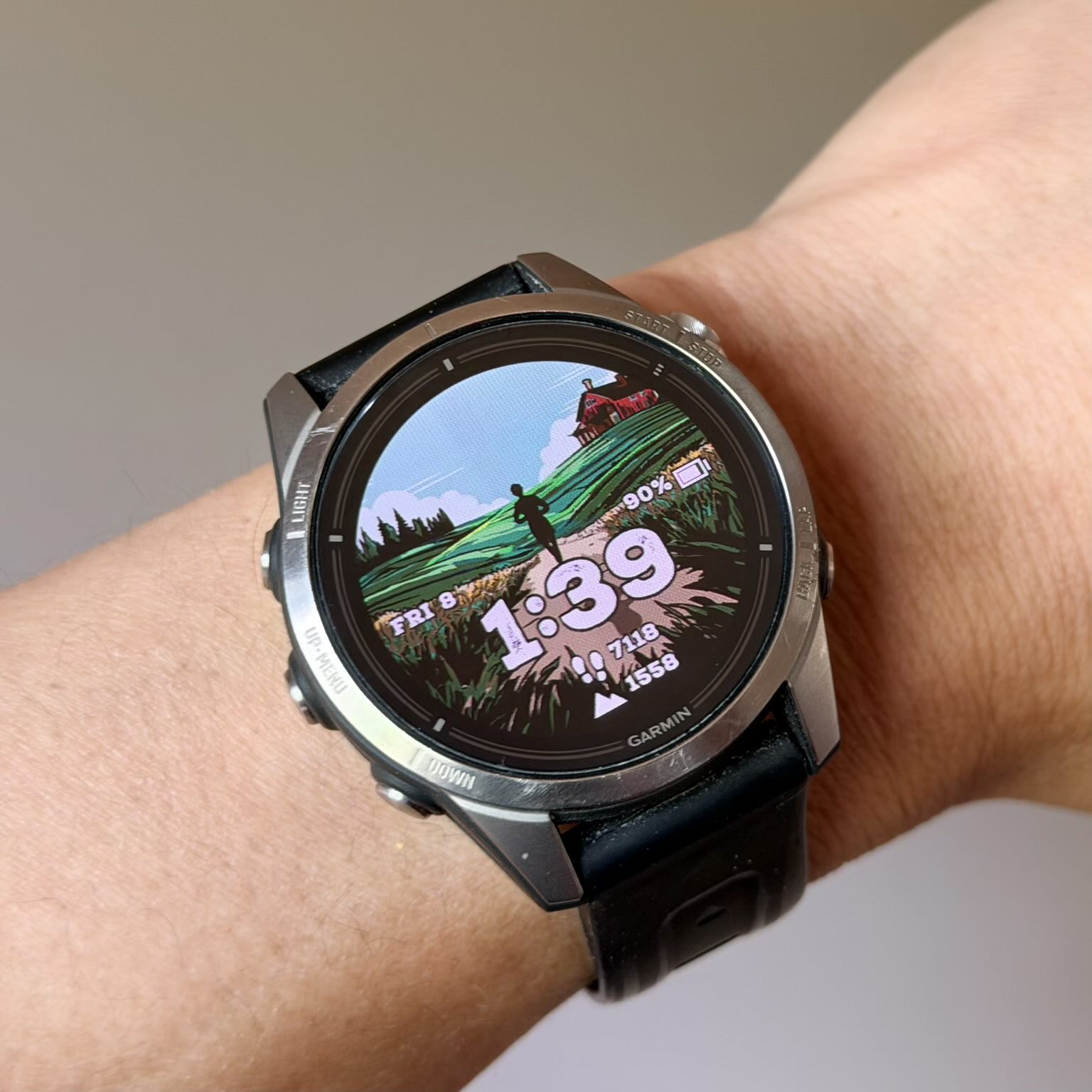
The Trail Runner face has a clean, outdoorsy aesthetic that suits the watch’s personality well.
Now that I know there are 268 free options—designed by the same company that built the watch—that are a cinch to install, I may be switching up my watch faces more often.
All the First Party Watch Faces in the ConnectIQ IQ App as of May 2026
Click on any of the table headers to sort by that criteria.
| Watch Face Name ↕️ | Cost ↕️ | Rating (out of 5) ↕️ |
|---|