I Ditched the Apple Magic Keyboard for the ESR Rebound for my iPad Pro

If you’ve been using an iPad as a primary—or even just a frequent—work machine, you’ve likely considered the Apple Magic Keyboard for it despite the $350 price tag. It’s the obvious choice, it’s well-made, and it works seamlessly with iPadOS. I used one for four years with my M1 iPad Pro 12.9″ and thought little of it—even as its edges began to fray and it developed slight staining and discoloration (largely corrected with a Magic Eraser).
Then the space bar got wonky (loose)—and I made it worse by trying to fix it.
Rather than shell out another $350-plus for Apple’s replacement, I started looking at alternatives and landed on the ESR Rebound Magnetic Keyboard Case on eBay—open box, $40. Six months later, it has become my daily driver, and I don’t foresee ever going back.
Build Quality and Design
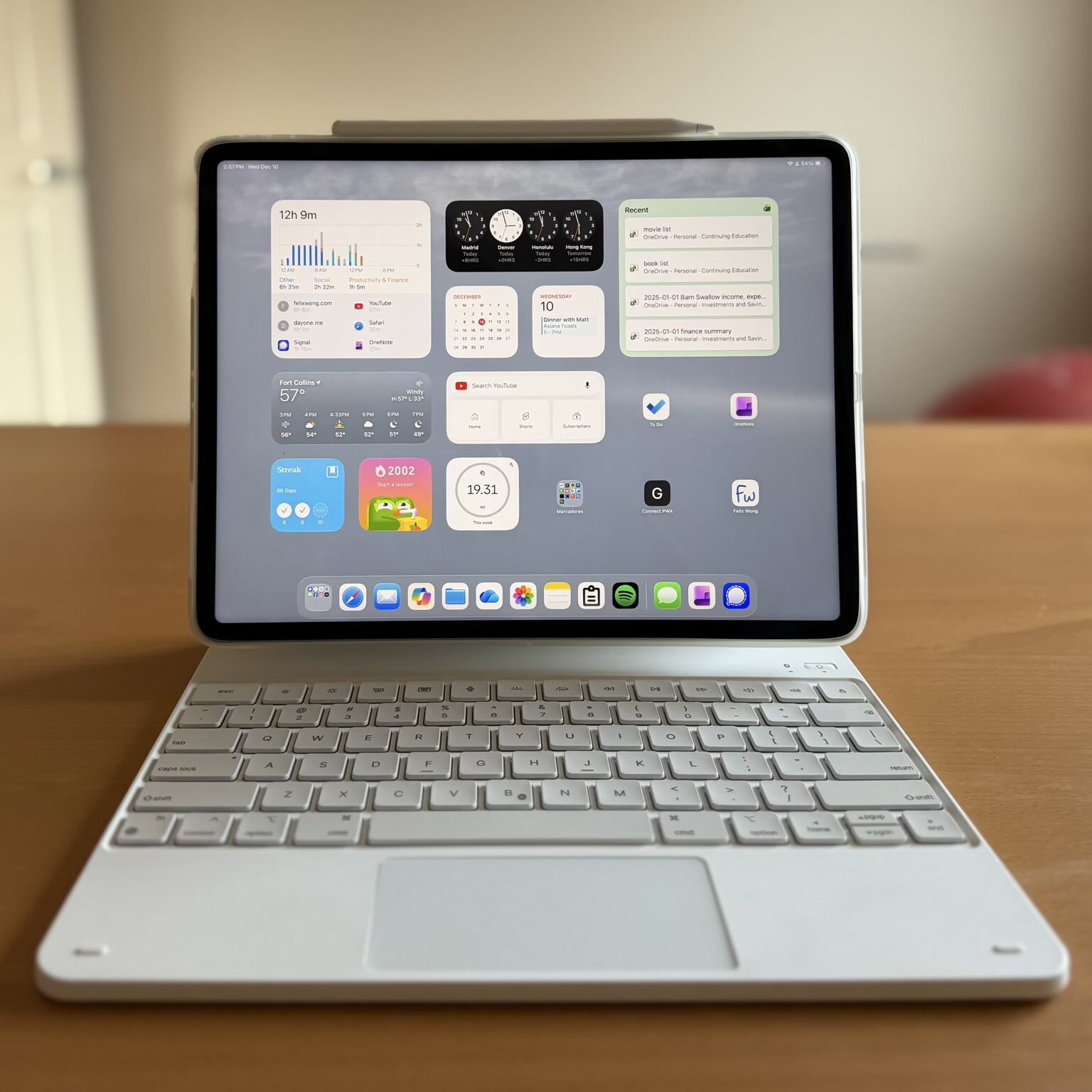
The ESR Rebound looks and feels like a keyboard that costs way more than $40—or even $100. The materials are comparable to Apple’s Magic Keyboard, and in my half year of daily use, the palm rest has actually stained less. When it does need cleaning, it wipes up easily with a microfiber cloth and water or, worst case, isopropyl alcohol. Just don’t use a Mr. Clean Magic Eraser—which works brilliantly on the Apple Magic Keyboard—as it will ruin it.
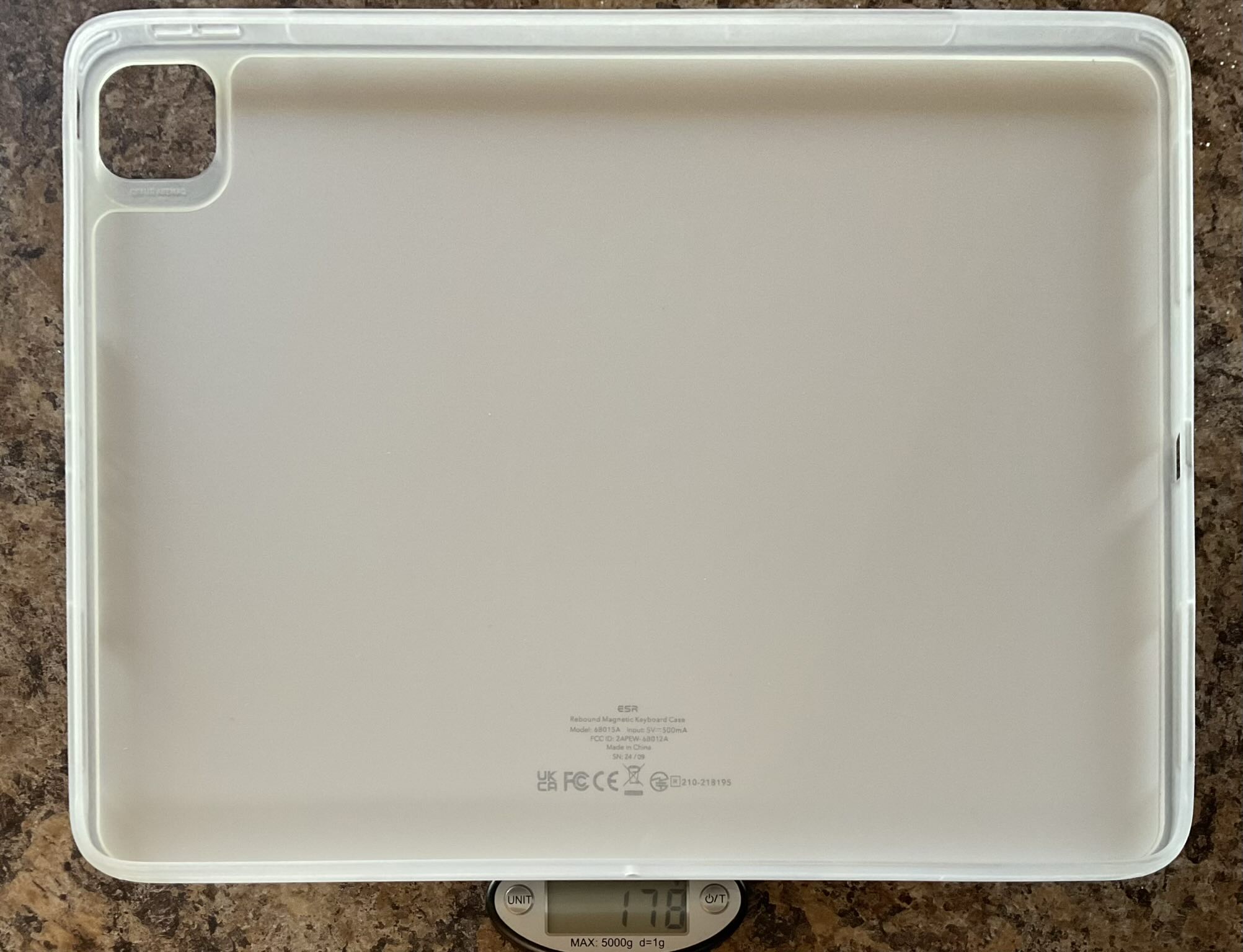
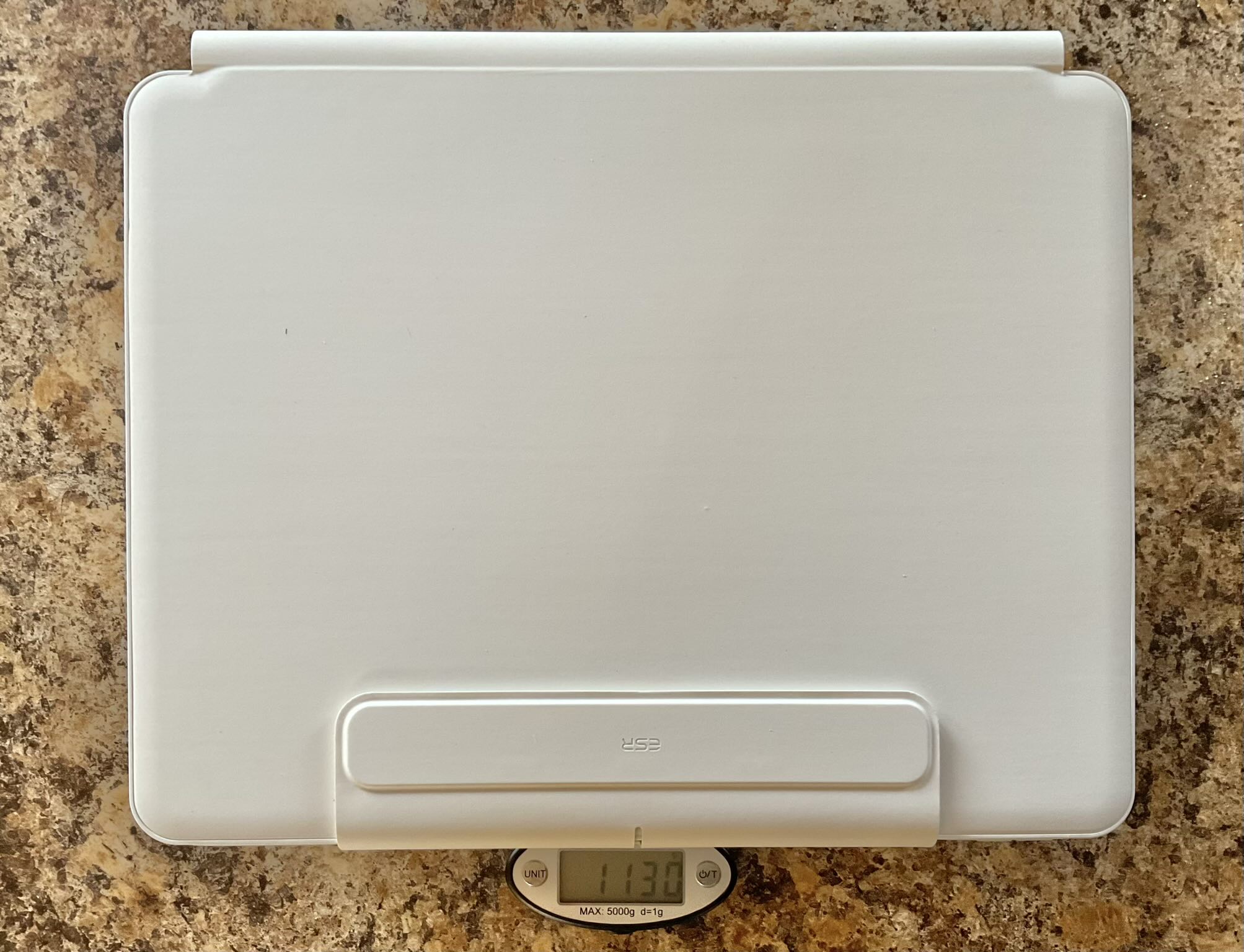
It is heavier: about 0.6 lbs. more without the included tablet case, or—much more commonly—nearly a full pound more if you use the case (as ESR intended). It’s also a few millimeters thicker, owing largely to the built-in battery. For me, the extra heft is actually a feature: it makes the whole setup more stable on a lap or a pillow, where a lighter keyboard-and-tablet combo has a great propensity to tip backwards like a toddler on roller skates.
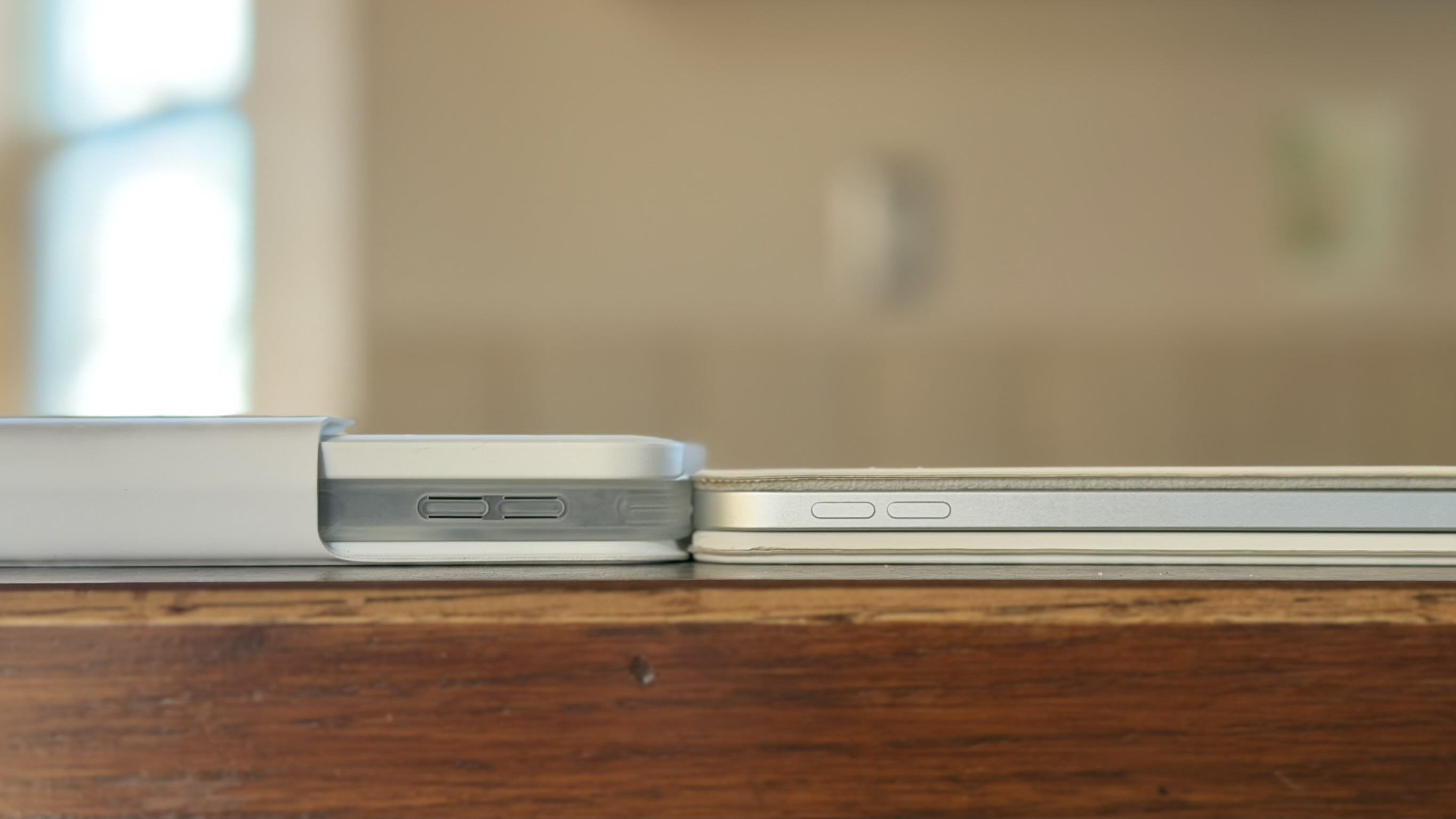
Like the Apple Magic Keyboard, the ESR Rebound is available in black or white. I think the latter looks more iconic for the iPad Pro and is what I bought, but it’s strictly a personal preference.
The Killer Feature: Raised and Portrait Modes
This is why I switched.
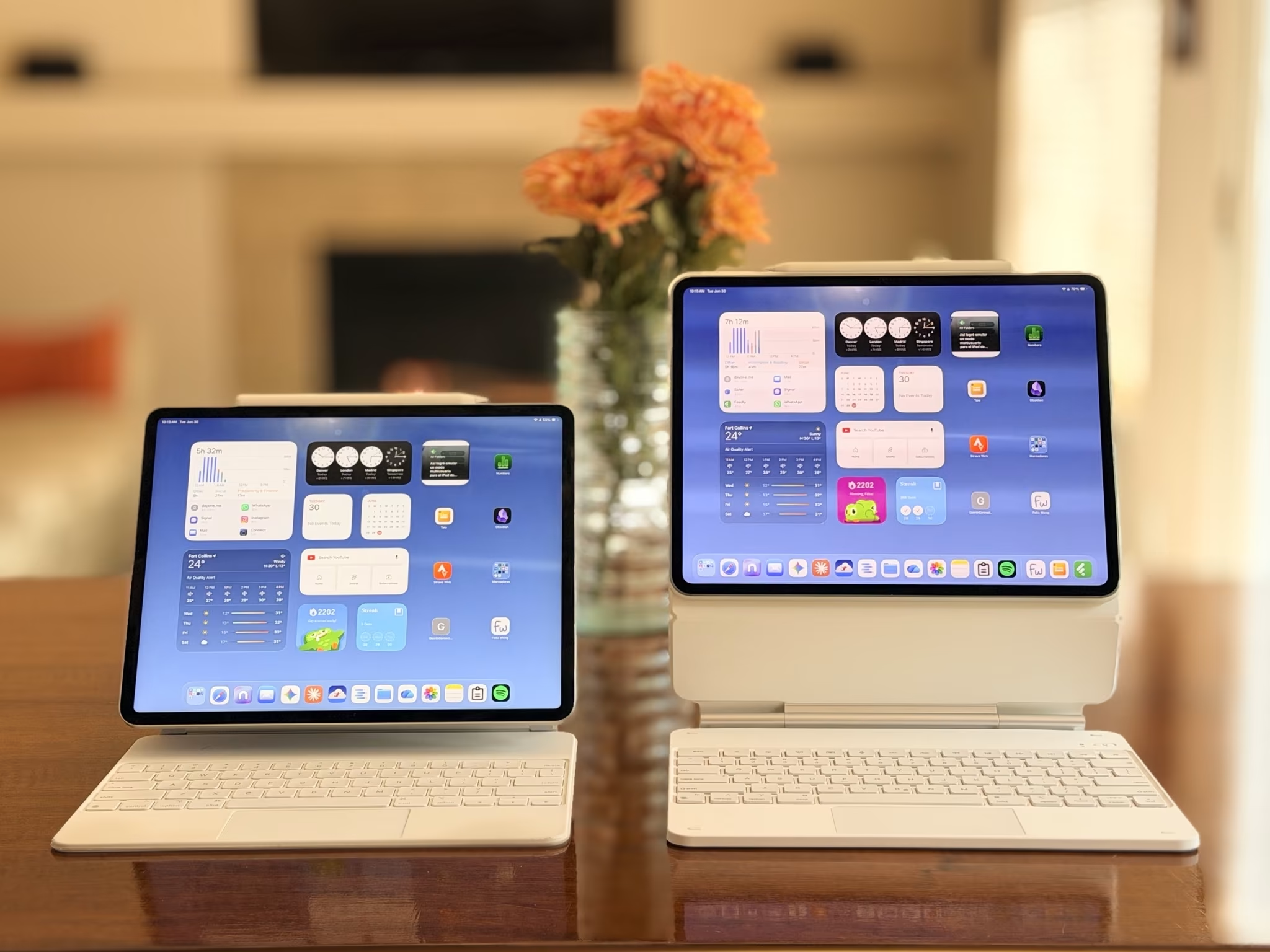
The Apple Magic Keyboard mounts the iPad in one position: landscape, low. It’s fine and higher than, say, a Microsoft Surface, but it’s not particularly ergonomic for extended work. The ESR Rebound, by contrast, uses a floating cantilever stand that allows the screen to be mounted an inch or two higher—closer to eye level—and, more remarkably, in portrait orientation.
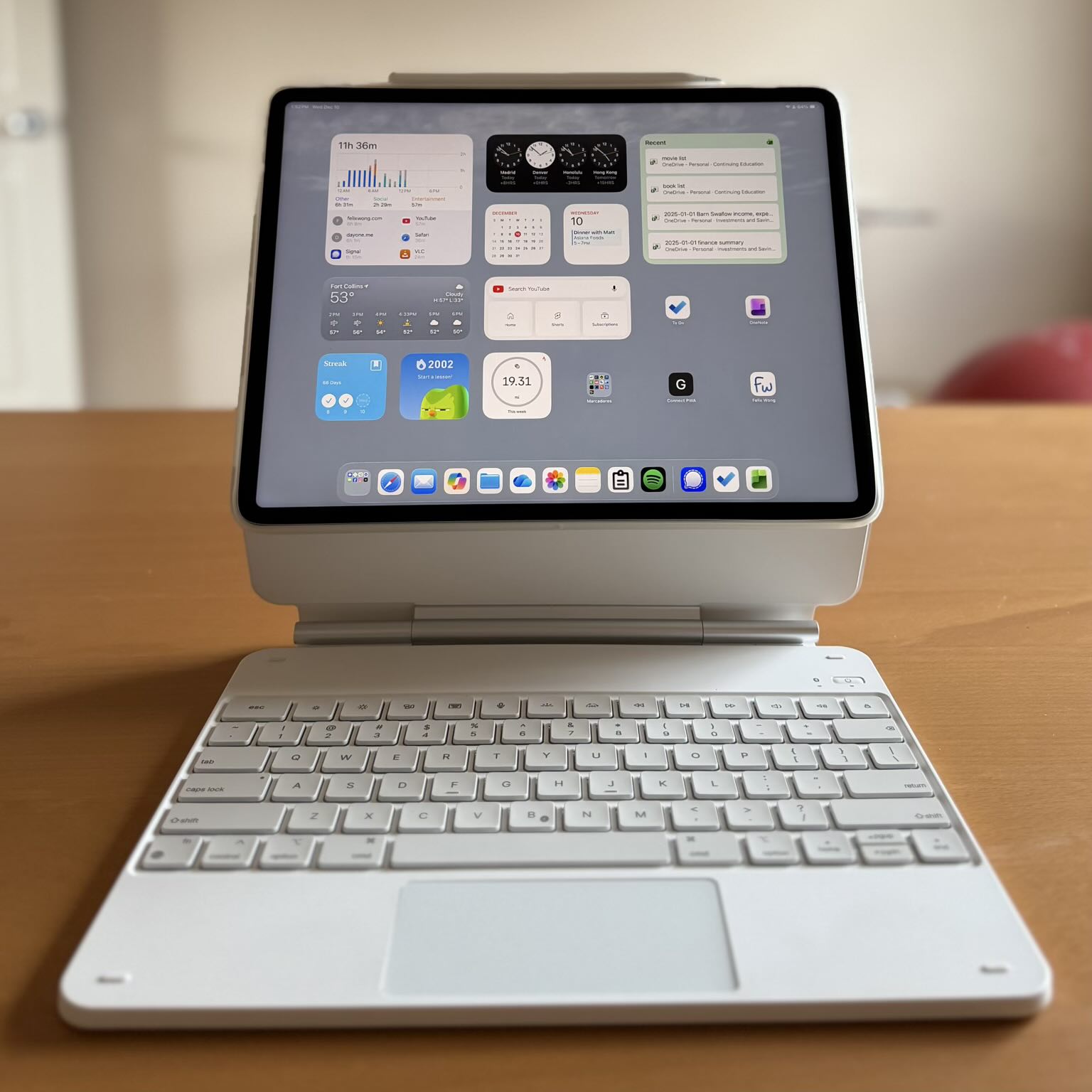
Portrait mode on a keyboard-equipped iPad has been a revelation for me. Reading long-form content, editing documents, browsing, even modifying some spreadsheets—it all feels more natural in portrait, and the ESR is one of the few keyboard cases that makes this possible. It’s possible because of the magnets in the tablet case and connecting via Bluetooth instead of pogo pins.
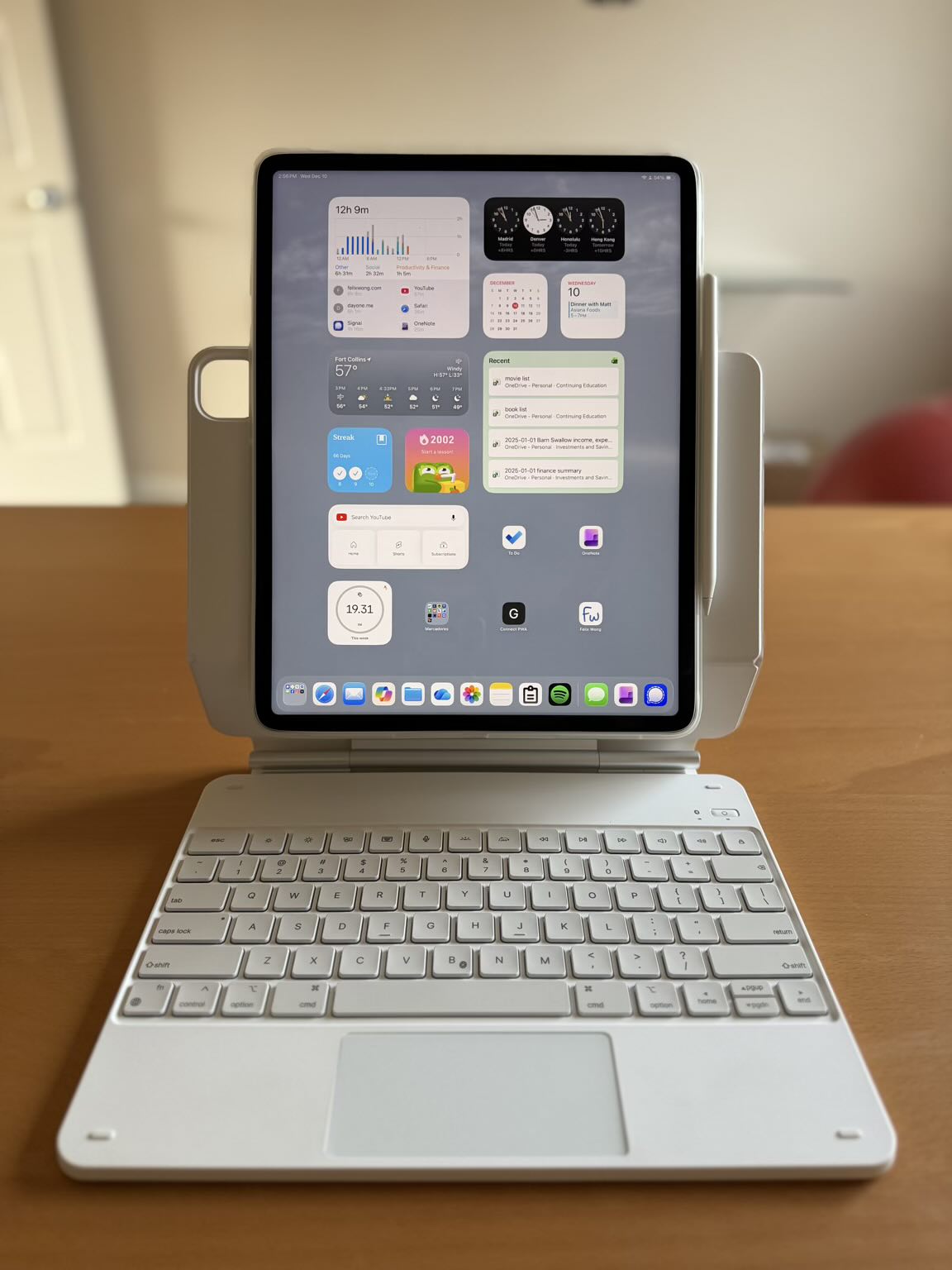
One important caveat: to use portrait or raised modes, the included tablet protector case must be attached. If you remove the protector (to save weight, for example), the iPad can only be mounted in the standard low landscape position—assuming you are using older iPad Pro models.
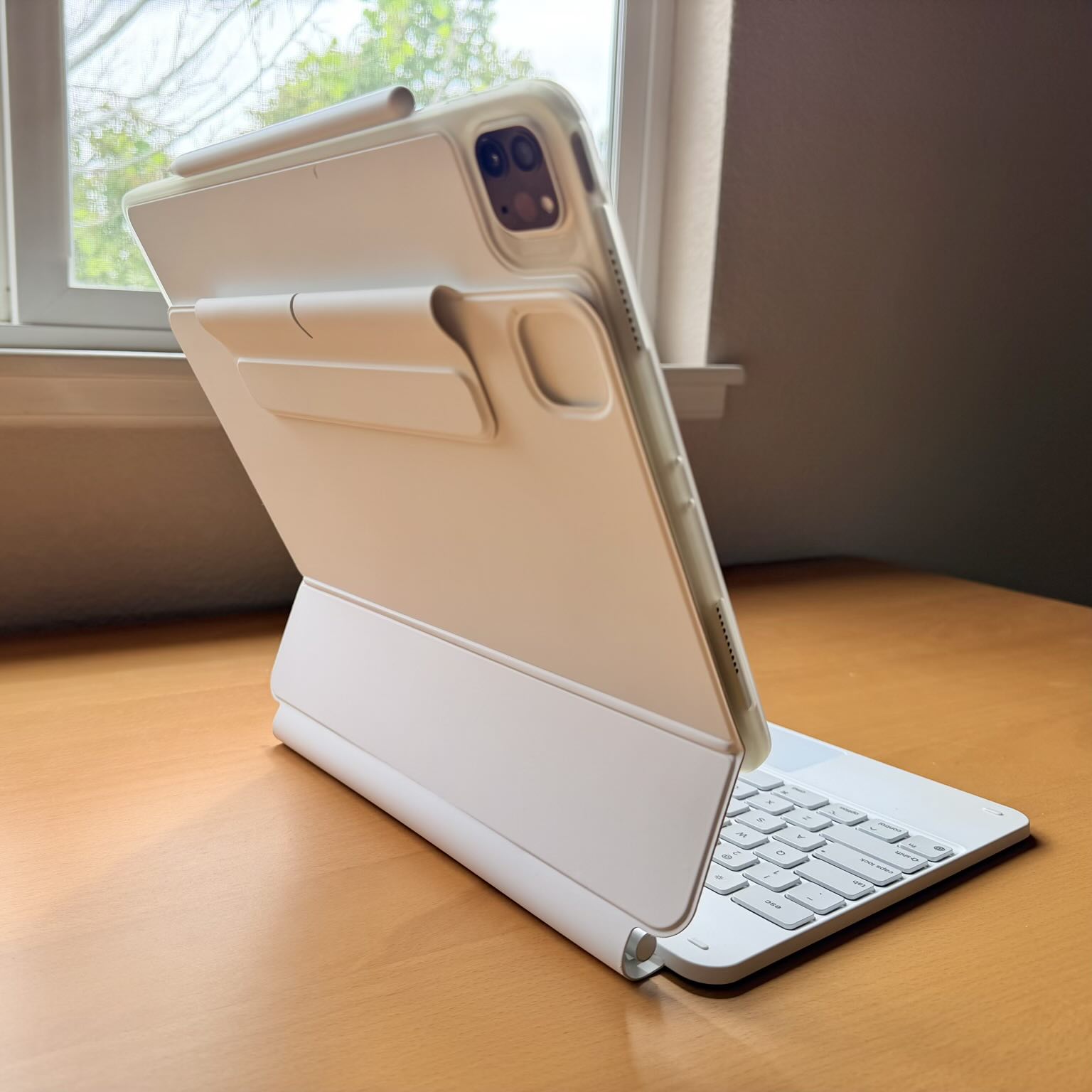
For owners of newer iPad Pro models—M4 or M5—using the included protector case is essential for any orientation because the magnet placement on those tablets is different; without it, the keyboard case won’t attach correctly.
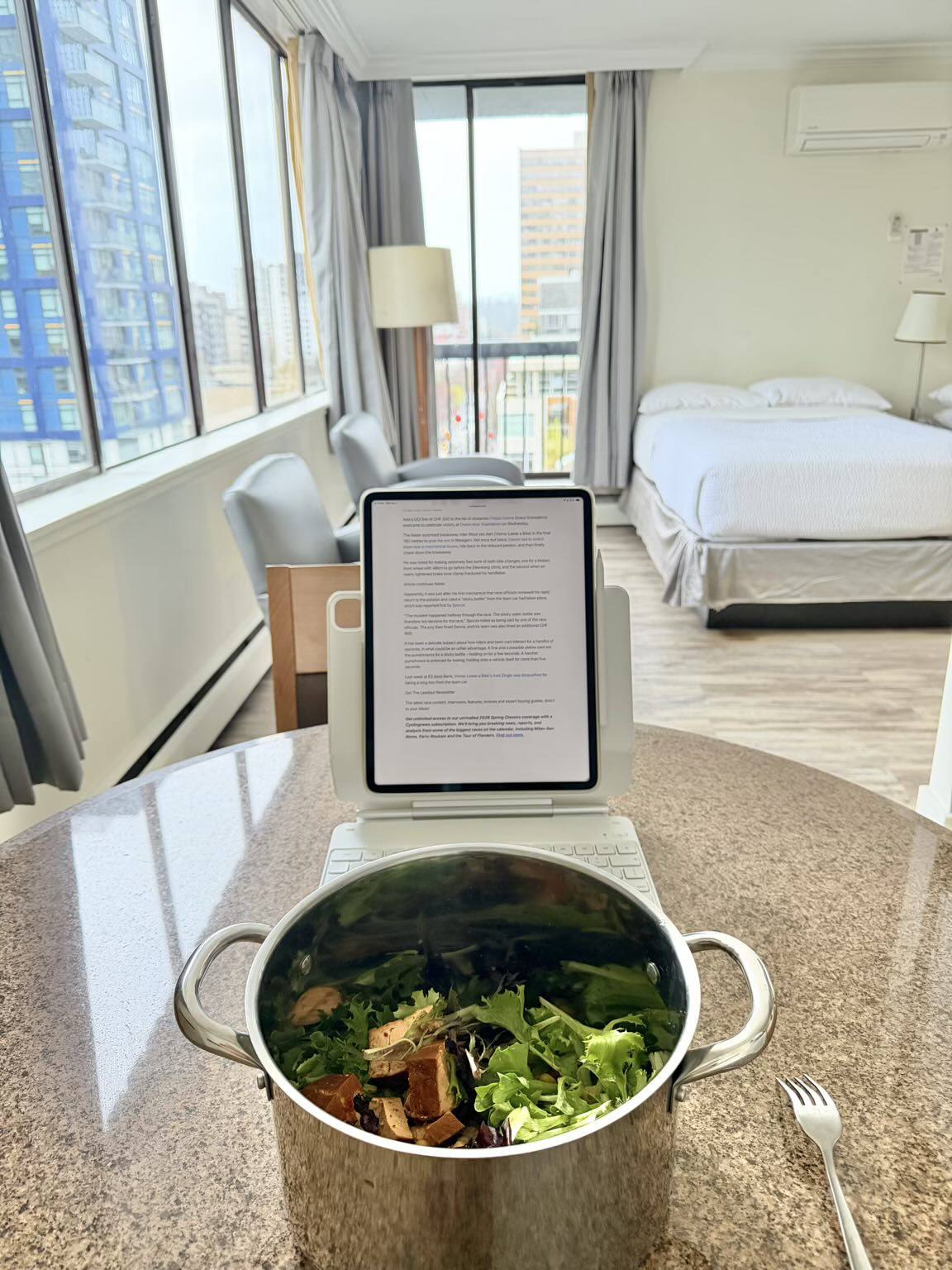
I can’t overstate just how nice it is to have raised and portrait modes. Take flights on Frontier, for example. Their seat back trays are too shallow and small to support a laptop or a tablet/keyboard combination. So you are forced to use it on your lap, which is usually too low.
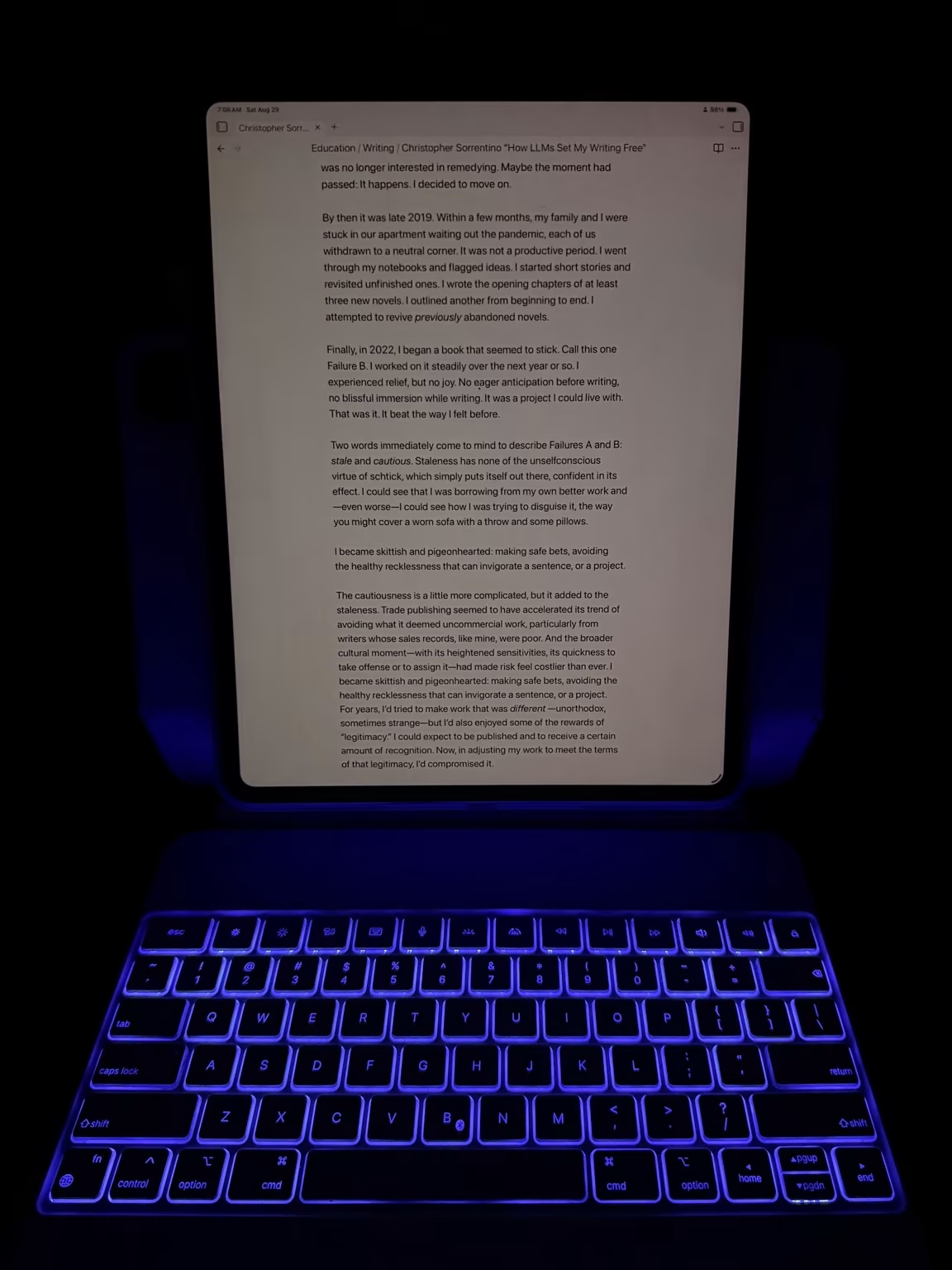
But the ESR Rebound allows the screen to be high enough to remain comfortable for your neck. No neck strain here.
The Keyboard Itself
Reviewers have long praised the keyboard feel on Apple’s Magic Keyboard. I actually prefer the ESR’s slightly more. It has a bit more key travel, which gives typing a more tactile, satisfying feel. Both are excellent; the ESR just has a slight edge.
The ESR also adds a full row of function keys across the top—brightness, dictation, play/pause, volume, backlighting, and others. These replicate what you’d otherwise access through iPadOS’s Control Center, but it’s nice to have them within reach without a swipe. Coders would especially appreciate the Escape key, although due to using the Apple Magic Keyboard for four years, I have long gotten used to pressing cmd-period instead.
The backlighting is RGB (the Magic Keyboard’s is only white), which means you can dial it to any color you like. I keep mine red at night to avoid blue light before bed.
There’s also a magnetic flap that wraps around and secures the Apple Pencil while traveling. It’s a small detail, but a genuinely useful one.
The Drawbacks
There are six, though not all of them will matter to you. Really, only #6 is significant to me.
- No USB-C pass-through. Apple’s Magic Keyboard charges via a port in the hinge, keeping the iPad’s USB-C port free. The ESR doesn’t have this, so the charging cable plugs into the side of the iPad. In practice, this mainly means an extra cable sticking out at an angle when charging. If you regularly use the USB-C port for accessories, this could be inconvenient.
- Weight. Covered above. It’s heavier. I’ve made my peace with it. It’s not like an extra pound causes my arm to ache or my shoulders to sag when I’m hauling it around.
- Slower keyboard wake. The keyboard sleeps after a period of inactivity and requires a keypress to wake, which can result in that first character being swallowed or repeated. My workaround: wake the iPad by touching the screen and swiping up from the bottom, which brings up the keyboard without the repeated keystroke.
- Separate charging. The ESR needs to be charged independently of the iPad. But given that a single charge lasts three to six weeks, this is essentially a non-issue. It’s far less burdensome than, say, remembering to charge your wireless headphones. The keyboard warns you well before it dies, and you can keep using it while it charges.
- An occasional hum: This issue is a little bizarre. Apparently, the magnets in the plastic tablet case are responsible for a low-level buzzing noise that occasionally occurs when scrolling the screen. It doesn’t always happen, and it’s not super loud. I can’t even always replicate it when I try to.
- The trackpad. This is the one genuine drawback. The trackpad is the same size as the Magic Keyboard’s and feels smooth, but clicking requires noticeably more force. That extra force can cause the cursor to shift just before the click registers, which means trying to double-click a word sometimes results in clicking the word above it. I once accidentally moved a folder into another folder this way—twice.
The fix that works best for me: use tap-to-click instead of physical clicks for most actions. (Including right-clicking with two fingers.) It’s silent, accurate, and eliminates the cursor-drift problem entirely.
For situations that require click-and-drag—highlighting a long block of text, for instance—I often just double tap or triple tap on the text to highlight a word or a whole paragraph. Or just use my finger on the screen instead. That’s always been one of the advantages of a tablet over a laptop without a touchscreen (e.g., Macbooks), so it doesn’t feel like a concession.
Battery: A Net Positive
One underappreciated aspect of the ESR’s built-in battery: unlike the Magic Keyboard, it doesn’t draw from the iPad’s own battery. The Magic Keyboard is estimated to reduce the iPad’s available charge by around 10%. With the ESR, the iPad charges independently, and the keyboard handles its own power.
For a day of travel or an intensive writing session away from an outlet, that difference adds up. I haven’t scientifically measured the extra battery time, but I estimate it to be 30-45 minutes. On long-haul flights, I’ll gladly take it. For example, on a recent flight from Vancouver to Singapore, I was able to use my iPad Pro for nearly eight hours on a single charge—not bad considering it is over four years old and has suffered some battery degradation from using it nearly daily!
Compatibility
The Rebound line covers a wide range of iPads. ESR currently makes Rebound keyboard cases for:
- iPad Pro 12.9″ (3rd–6th generation)
- iPad Pro 11″ (1st–4th generation) and iPad Pro 11″ M4/M5 (2024/2025)
- iPad Pro 13″ M4/M5 (2024/2025)
- iPad Air 11″ (4th generation through M4, 2020–2026)
- iPad Air 13″ (M2 through M4, 2024–2026)
- iPad 10th generation (2022) and iPad 11th generation (2025)
Check ESR’s website to confirm the exact model for your tablet, as magnet placement varies across generations.
The Bottom Line
I bought the ESR Rebound as a stopgap. It has turned out to be an upgrade.
The trackpad isn’t as good as Apple’s, and the extra weight is real. But the ability to position the screen at a comfortable height—or rotate it to portrait—has genuinely changed how I use my iPad. Add in the function row, the RGB backlighting, the Apple Pencil flap, the protective tablet case, and a battery that doesn’t cannibalize the iPad’s, and it’s hard to justify going back to Apple’s Magic Keyboard at a, frankly, exorbitant $350 MSRP.
Especially when you can get the ESR Rebound at $40 open box on eBay. Or even brand new for $80-120 on Amazon.
Update 2026-06-30
I got an iPad Pro M4 13″ to replace my now 4.5-year-old iPad Pro M1 12.9″, which I will send to Apple for trade-in credit shortly.
Naturally, I got the M4 an ESR Rebound keyboard. (While the one I had for the M1 would work, it’s not a perfect fit because the M4 iPad Pro is thinner than the M1.)
You can see the potential difference in iPad height using the Apple Magic Keyboard versus the ESR Rebound: up to 3.5″. Having the iPad closer to eye level really helps with posture and saves my neck.


There are 2 comments.
The build quality of the new Magic Keyboard for the M4/M5 iPad Pros is noticeable over the one you have. I reviewed it here: https://tow.com/2024/05/22/magic-keyboard-review-2024/
Portrait orientation would be nice though. And the MK does tip over more easily now.
I don’t think I would like the extra weight of the ESR. I find the MK2 + M4 iPad to be pretty heavy already, though it’s essentially weight of a MacBook Air. Maybe I should get the 11-inch instead of the 13-inch next time.
On my current trip, I brought my iPad Mini, sans external keyboard. Haven’t used it, since I also brought my 14” M2 Max MacBook Pro.
I am looking forward to the foldable iPhone (iPhone Ultra), rumored to come out later this year. Best of both worlds, iPhone and iPad Mini-sized device in one.
I remember you showing me the Magic Keyboard for the M4 iPad Pro at your place. It did have better key feel than my Magic Keyboard for the M1 iPad Pro and better build quality. I especially liked that it had the metal top (bezel around the keyboard), especially since the palm rest of the old Magic Keyboard was prone to staining.
I also was impressed with the weight of your M4 iPad Pro 13", which is significantly lighter than the M1 12.9". But I'm not surprised that it is still a bit too heavy to hold and suspend in the air with one hand for casual use. I've given up on that, and my iPad is docked to the keyboard 99% of the time—even for casual use on the couch where I'm only using the keyboard to prop the iPad up on my lap. If I want to raise a screen over my face while lying down, I'd reach for the iPhone instead.
For traveling, I honestly can't say I've felt a difference traveling with the Magic Keyboard versus one-pound heavier ESR Rebound in my Cotopaxi backpack or laptop bag. But you travel even lighter, so I can see how you might.
The foldable iPhone should be perfect for you. I do shudder, however, at what the price will be for it, especially with the AI-induced chip shortages!